
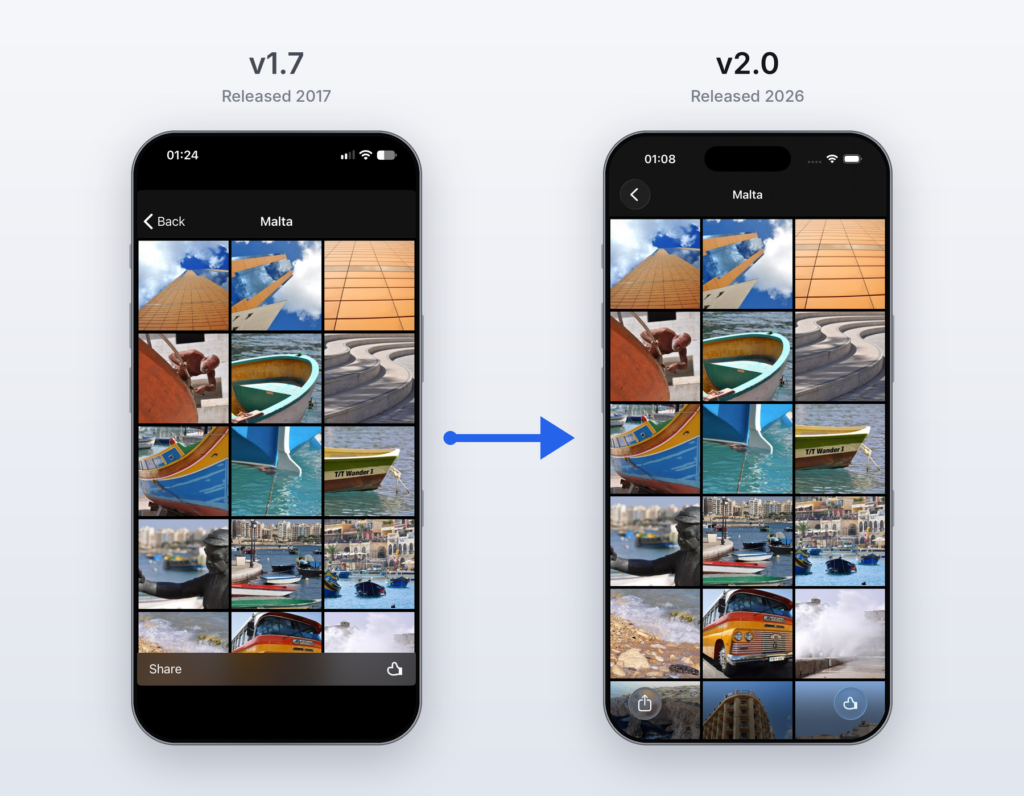
TL;DR: The jAlbum iOS app has been rebuilt for today’s iPhones and iPads. Everything that had quietly stopped working works again. On top of that you can now arrange your photos, write captions and fully edit your albums, right from your phone. But for that you still need to use our hosting.
Let’s be honest: the last real update to jAlbum for iOS came out in 2017. Since then iPhones lost their home buttons, gained notches and Dynamic Islands, and iOS went through nine major versions. Our app, meanwhile, slowly fell apart. Our desktop app gets an update basically every month, and the iOS app is a free companion to it, so it kept waiting its turn. For about nine years. We’re a little embarrassed.
Its turn has finally come, and this time we didn’t stop at fixing things. If you gave up on the app a while ago, here’s why it’s worth another look.
Arrange your album the way you want
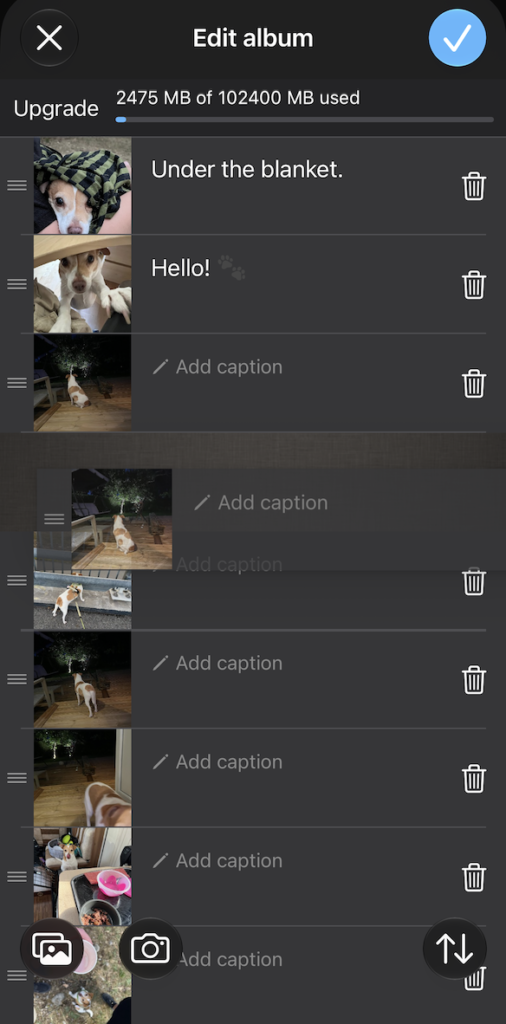
The biggest news is a new photo list for building albums. When you create an album, your photos appear in a list while they upload. You don’t have to wait for the uploads to finish:
- Drag to reorder. Touch and hold a photo, then drag it where you want it.
- Tap to add a caption. Captions can be added or changed even after a photo has been uploaded.
- Create album. Your order and captions are saved, and the album appears at the top of your album list.
Edit your albums, not just create them
This photo list is also used when editing an existing album. Open the album, tap the edit button, and all its photos are there. Reorder them, fix a caption, remove a photo you regret, or add a few new ones from your library or camera. Tap Done and the album is updated. If you change your mind, you can also delete an entire album, after a confirmation, of course.
Adding photos, the modern way
Adding photos from your library now uses Apple’s own photo picker. It’s familiar, it’s quick, and the app only sees the photos you actually choose, not your whole library.
Want to snap something new instead? Take a picture with the camera, add a caption and upload it, all in one smooth flow.
Faster and more reliable uploads
Photos now upload several at a time, so a batch is done much quicker. If the connection hiccups, the app tries again by itself rather than giving up. Photos keep their original file names instead of all being called “iphone0.jpg” and photos are resized to a sensible size before uploading, which saves time and mobile data.
It finally fits your iPhone and iPad
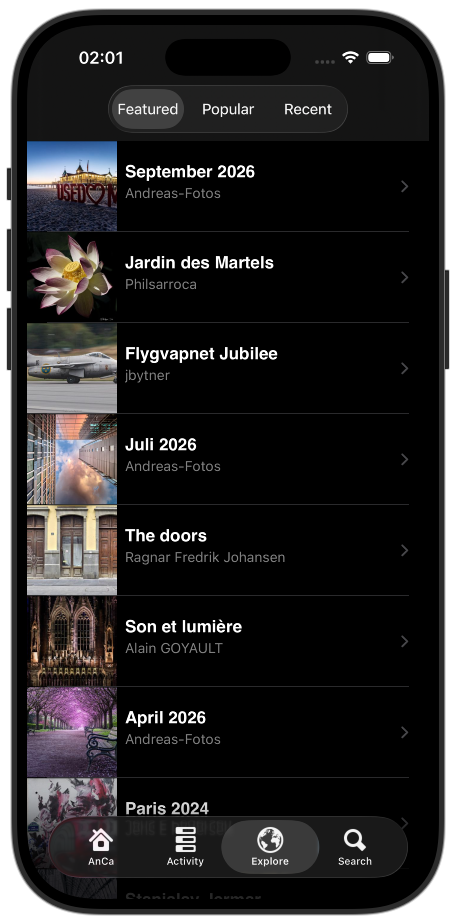
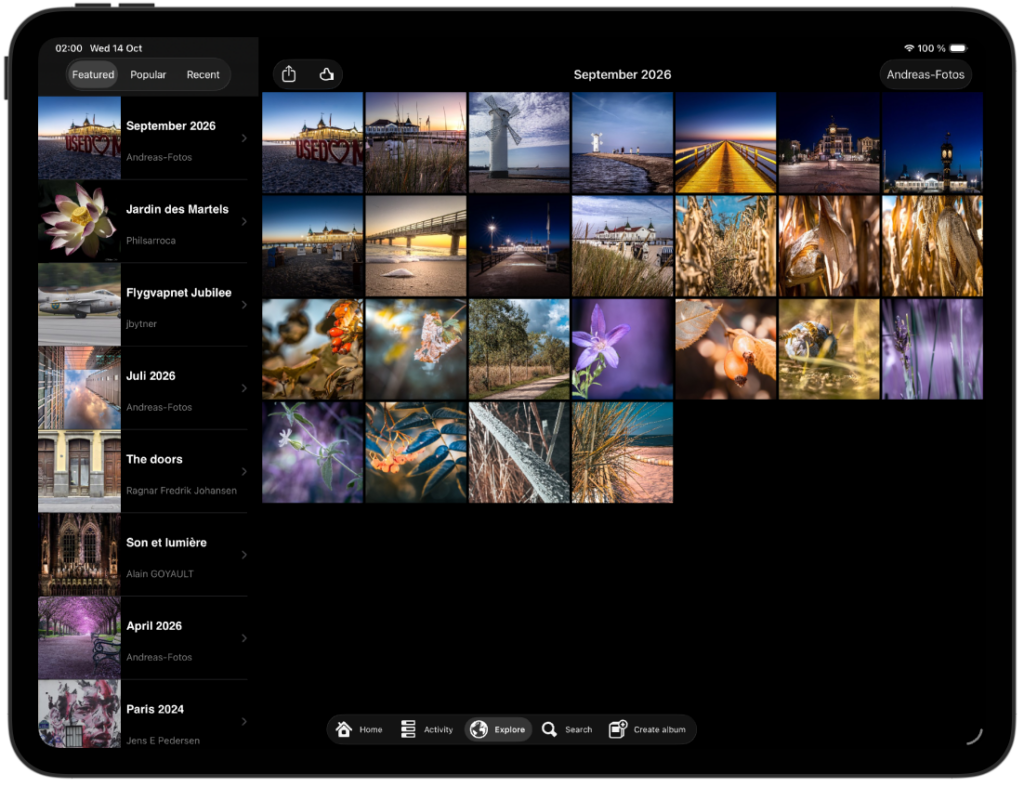
The old app ran in a box with black bars around it. It now uses the whole screen, works around the notch and the Dynamic Island, and handles landscape properly. On iPad, your album list stays on the left while photos open on the right.
A darker, calmer look
The app has a dark look throughout, so your photos stand out. The bars are semi-transparent, and on the latest iOS they use Apple’s new glass style. When you view a photo, only a small Back button and the title float over the image. Tap once and even those disappear.
Share anywhere
The old app had its own sharing function with its own Facebook sharing button and that service has changed a lot since then. The custom sharing function is gone. Instead, the Share button opens the standard iOS share sheet, so you can send an album link by Messages, Mail or AirDrop, or to any app you have installed. We also have the “Open in Safari” option if you want to see the album the way your visitors do.
Password-protected albums, done right
Opening a password-protected album now uses a clean, modern password prompt. Enter the password once, and every subfolder in that album opens without asking again for as long as the app is open.
Small things that add up
- Faster startup: the app goes straight to your albums, with no splash screen and no flicker while you’re signed in.
- Videos: they play in Apple’s standard video player.
- Thumbnails: bigger and sharper, filling the width of the screen, with more per row in landscape.
- Clear feedback: a spinner tells you when an album is being created, and error messages say what actually went wrong.
- Languages: updated translations in all eleven languages the app supports.
What you need
The new version requires iOS 15 or later. If you deleted jAlbum from your phone years ago, now’s a good time to bring it back. Download the jAlbum 2.0 iOS app from here:

As always, we’d love to hear what you think. Tell us in the forum. If you like it, write a review in App Store and if something doesn’t work as expected, let us know and we’ll fix it. We promise it won’t take nine years this time.